
Upload screenshots.
Get results in 10 - 20 seconds.
No more manually entering kills and ranks after every match. Xtallet ZoneX AI — the BGMI Tournament AI built for esports organizers — reads your result screenshots and pre-fills the entire results table. You review, you submit.
Frontier vision AI — purpose-built for BGMI.
ZoneX AI uses Google Gemini Vision to interpret BGMI result screenshots. Gemini's multimodal understanding handles partial frames, overlapping UI, variable screenshot quality, and non-standard aspect ratios — conditions that break simpler OCR tools.
Gemini Vision
Core image understanding and text extraction from screenshots
Fuzzy name matching
Maps extracted names to registered rosters even with typos or OCR noise
Confidence scoring
Per-field reliability scores — GREEN / YELLOW / RED — surfaced before submit
ZoneX AI is part of Xtallet — brackets, registrations, live leaderboards, OBS overlay, and more.
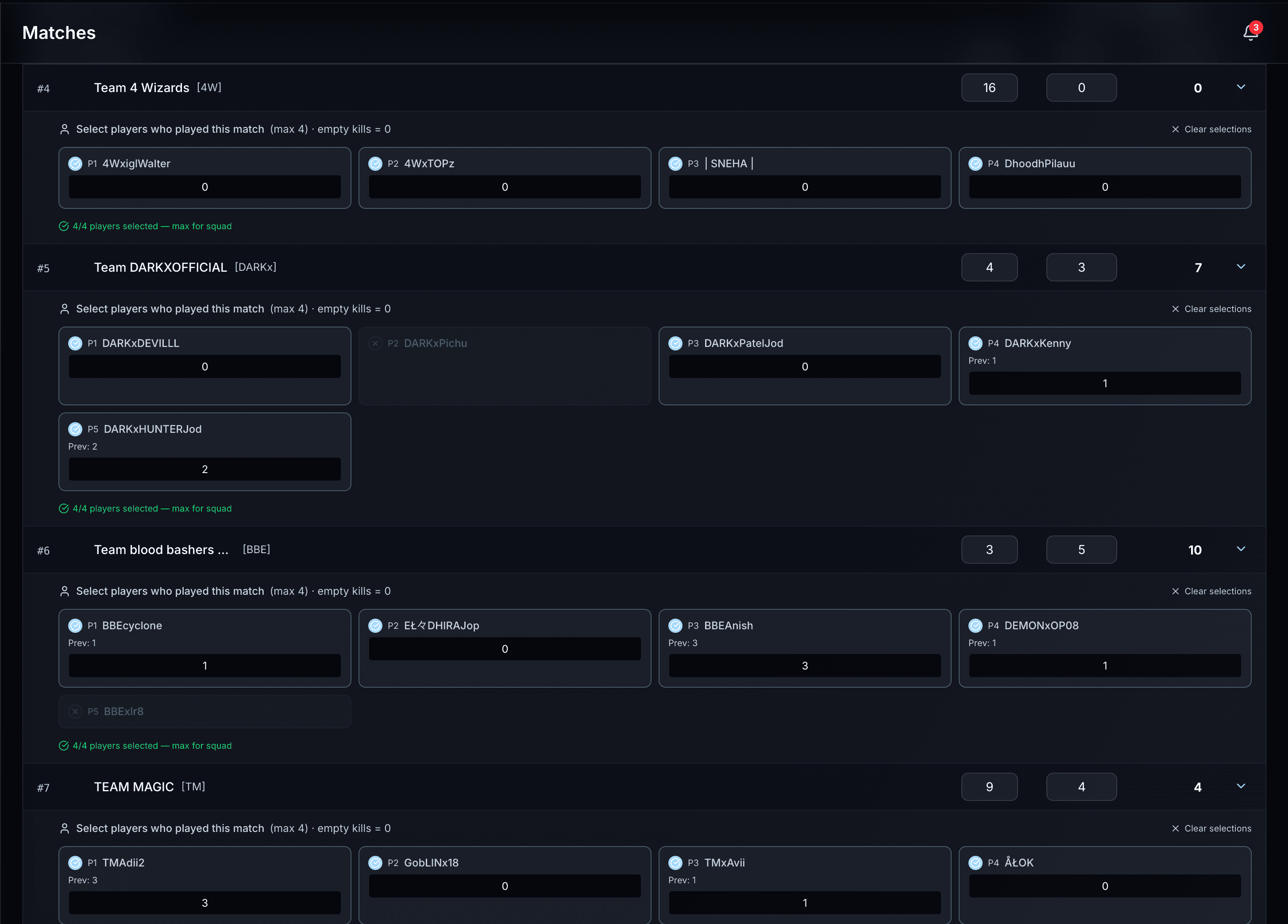
This is what the review table looks like.
Every row is pre-filled by AI. Green = high confidence. Yellow = double-check. You edit, then submit.
Four steps.
No spreadsheets.
From screenshot to submitted results in under a minute. ZoneX AI handles the reading — you handle the review.
Try it on your next match- Upload Screenshots
Drop up to 15 result screenshots at once
- ZoneX ExtractsAI ProcessingAI Processing
AI reads rank, kills, and player names for every team
- Review & Confirm
Pre-filled table with confidence scores — edit anything before submitting
- Results Submitted
Leaderboard updates instantly — standings, player stats, and analytics
The hours add up fast.
A 6-match tournament day used to cost 60–90 minutes of result entry. ZoneX AI brings that down to under 6 minutes.
~90 min
6 matches × 15 minutes each. Read screenshots, cross-reference slots, type into spreadsheet, fix errors, update leaderboard.
< 6 min
6 matches × under 60 seconds each. Upload screenshots, glance at the review table, submit. Done.
The same job. A completely different experience.
Wait for match to end, screenshot every result screen manually
Upload all screenshots at once — done in one step
Cross-reference slot assignments with result screenshots by hand
ZoneX maps slots to teams automatically from the screenshots
Enter kills and ranks into a spreadsheet for 16 teams
Pre-filled table is ready in 10–20 seconds. Just review and submit
Recalculate totals after every correction
Fix one cell — leaderboard updates instantly
8–15 minutes per match, more for large fields
Under 60 seconds from screenshot to submitted results
Match ends at 10 PM.
You're still entering results at midnight.
Every BGMI match generates 8–12 result screenshots. Someone has to read each one, map the slot to a team name, enter kills and rank into a spreadsheet, recalculate points, and update the leaderboard — for every single match, every single day.
8–15 min
per match, manually
8–12 screenshots
to read after every match
100% manual
error-prone, every time
Common questions
Stop entering results by hand.
Upload screenshots, get a pre-filled table in 10–20 seconds, and keep the tournament moving.
Get started on XtalletFree during beta · No credit card required